Inquiry / Distributors

RICOH SC-20 Option Functions (purchased separately)

Main content

Supports Motorized Varifocal Lens*1with the “Preset Zoom” Function NEW

Supports motorized varifocal lenses with optical zoom, enabling flexible inspection of objects of varying sizes and heights.

* To enable this optional feature, a license file must be obtained and activated.For details on obtaining the license file and activation, please contact your sales representative.
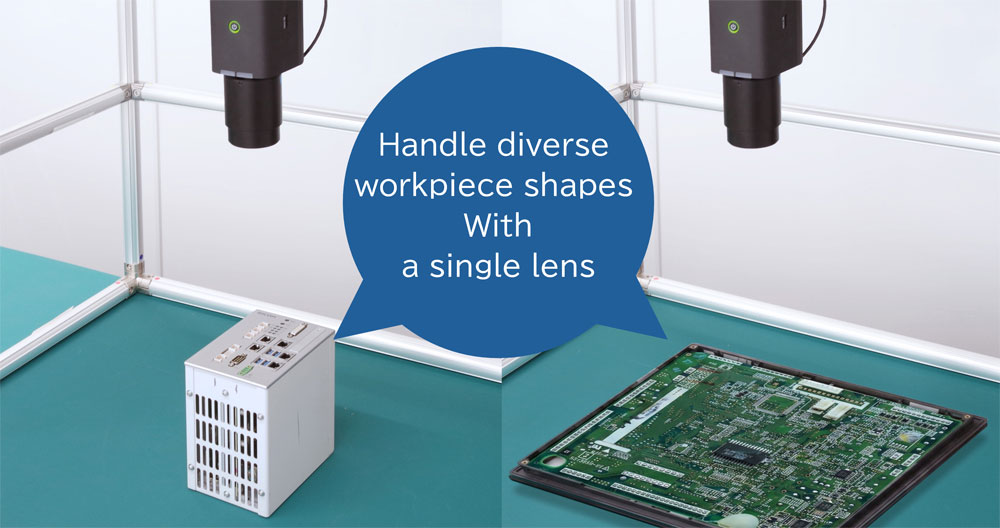
  • Seamless automated inspection, even for objects with height variations
    Now supports long-awaited optical zoom.
    Flexibly accommodates a wide range of inspection targets, including objects of varying sizes and heights, significantly expanding the scope of work inspection with the SC-20.
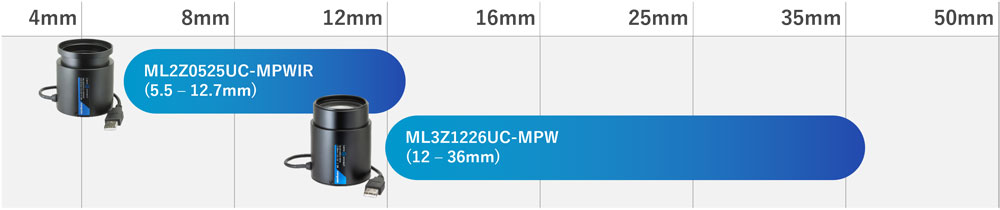
    Two compatible lens options are available: f=5.5–12.7 mm and f=12–36 mm.
  • Handle diverse workpiece shapes With a single lens
    * Images are for illustrative purposes only.
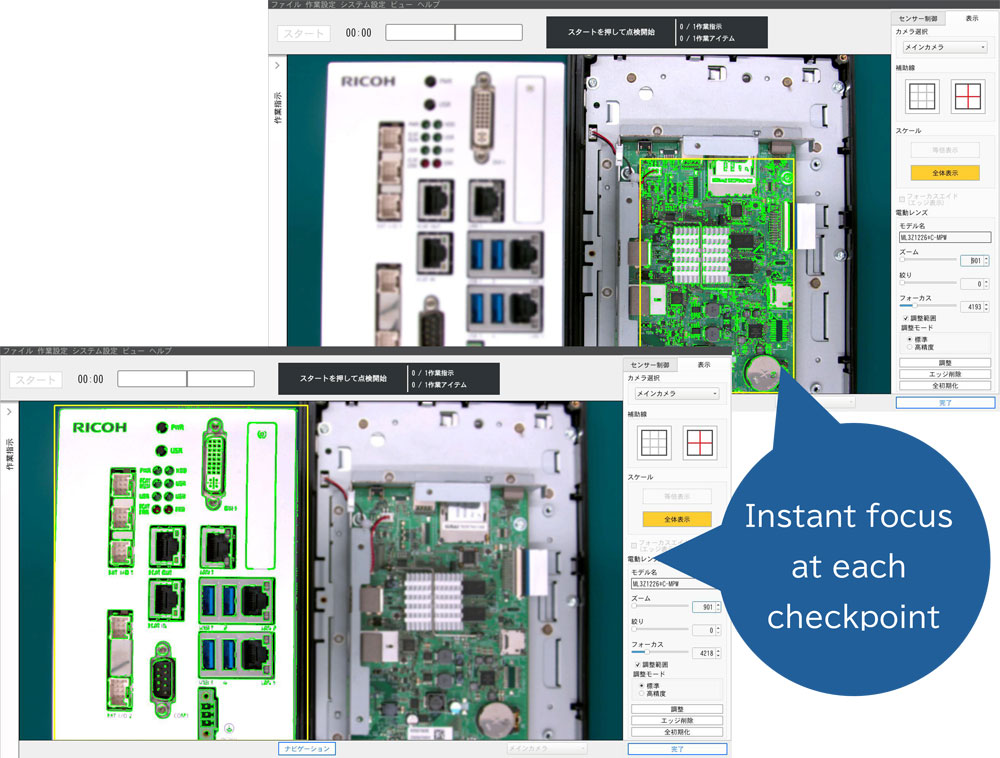
  • Quick and precise focusing at each checkpoint.
    Easy setup with motorized zoom and focus mechanism.
    By presetting lens parameters for multiple inspection points, optimal viewing angles and focus are automatically adjusted without manual intervention.
    This allows each step in the process to be evaluated quickly and accurately, enabling smoother and more efficient work inspection.
  • Instant focus at each checkpoint

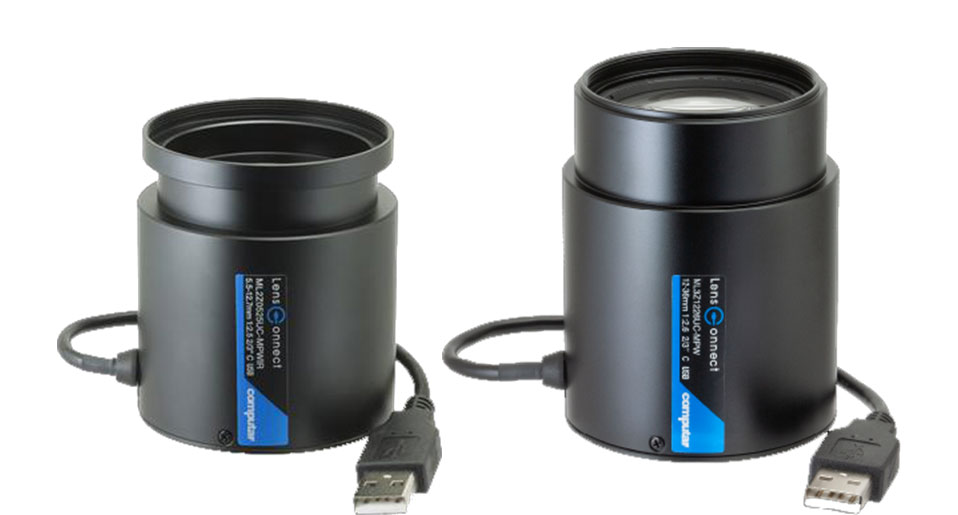
    *1: This feature supports the following motorized varifocal lenses manufactured by CBC Co., Ltd. For purchase or inquiries, please contact your sales representative. Click here to contact us.

    ML2Z0525UC-MPWIR(f=5.5-12.7mm)
    ML3Z1226UC-MPW(f=12-36mm)

    focal length map
    CBC製バリフォーカルレンズ

    "Additional Camera" function for multi-angle inspection

    In addition to the field of view that can be secured from a single viewpoint with the SC-20 camera, up to three viewpoints can be inspected by connecting 2 USB cameras.

    * To activate the option function, a license file must be obtained and activated. Please contact the salesperson in charge of your company for information on obtaining and activating the license file.

  • Capable of inspecting large or three-dimensional objects
    Previously, inspection was only possible from the field of view secured by the SC-20 main camera from a single viewpoint, but the USB camera connection now enables inspection from up to three viewpoints. Large or three-dimensional objects that previously could not be accommodated within the field of view of the main camera can now be inspected by combining images from multiple cameras.
    Flexible camera layouts can also be used for inspections involving height differences in the area to be checked or for very detailed objects.

  • All you need is a commercially available USB camera and a license to start
    Compatible with UVC-compliant USB cameras with Full HD or higher pixel count*. No additional hardware required. This option may be used by simply purchasing (activating) a license.

  • * Compatible with USB-connected cameras that support 1920x1080 (Full HD) resolution output and MJPEG (Motion JPEG) video format.
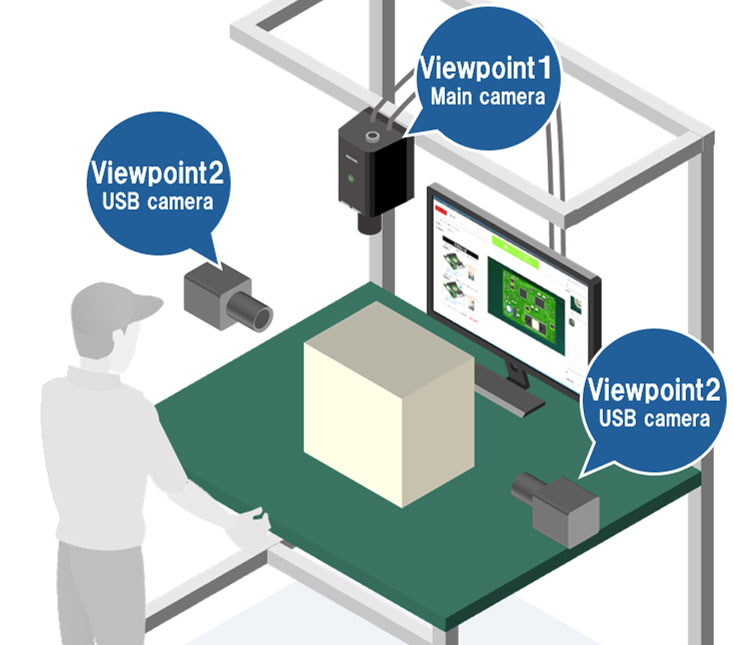
    Additional Camera Option Image

    Click here for an example of the system configuration

    * For details of Option Functions, please see the Operating Instructions Operating Instructions “Option Functions”


    Easily read barcodes and text with "1D/2D Code" function and "OCR" function

    An option function that enables data input and character recognition using the SC-20 itself instead of a barcode reader, dramatically improving work efficiency.

    * To activate the option function, a license file must be obtained and activated. Please contact the salesperson in charge of your company for information on obtaining and activating the license file.

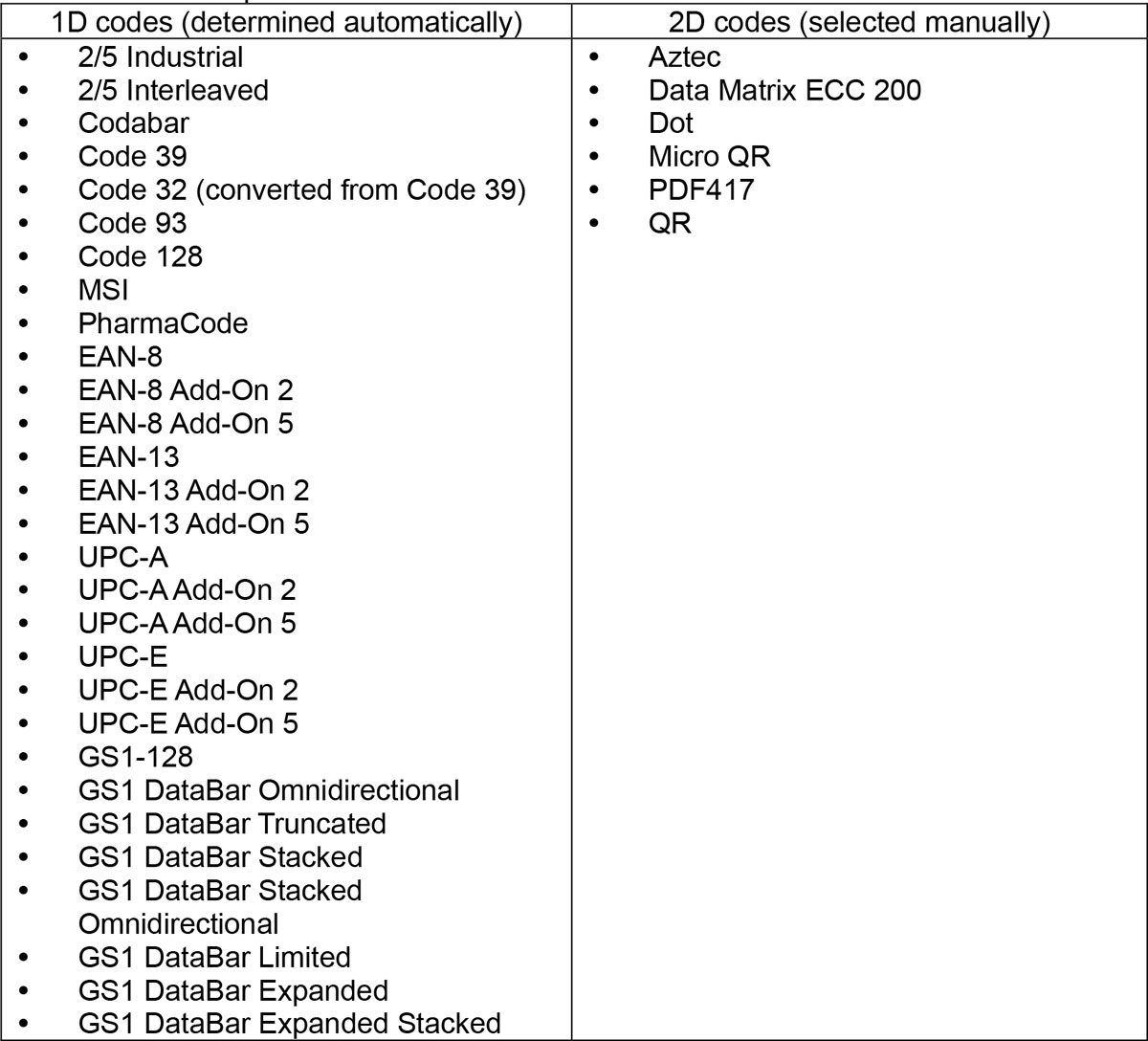
    1D/2D Code Function

    1D/2D code function allows the SC-20 camera to read barcodes and QR codes (1D and 2D codes) for data input.


    This function can be used for the following purposes.

  • Input of [User ID] during login
  • Data input in inspection steps (data input mode) during the workflow
  • Input of [Job ID] and [Reference ID] during the execution of workflow

  • Note

  • The 1D/2D codes can be read even if rotated.


  • OCR Function

    In the data input mode, the OCR function enables character information to be read by character recognition, making it possible to easily record product model names, serial numbers, etc. on the job log.
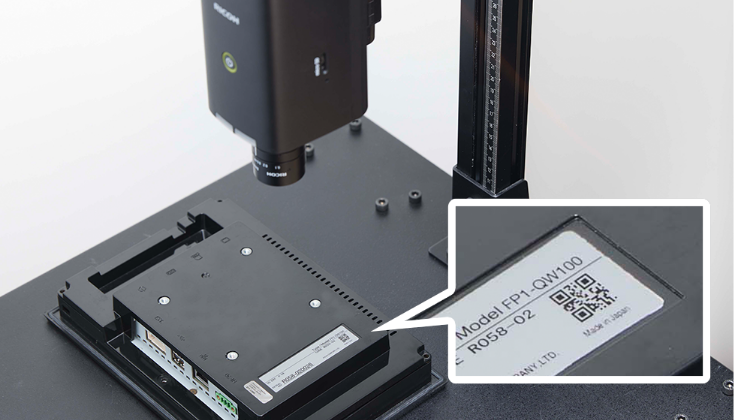

    Note

  • Only single-byte upper-case alphabets and numbers can be read.
  • Rotated text cannot be read correctly.
  • Reading may not be performed correctly depending on the font and shape of letters.
  • Maximum reading area size is 1920 x 1080.

  • * For details of Option Functions, please see the Operating Instructions Operating Instructions “Option Functions”